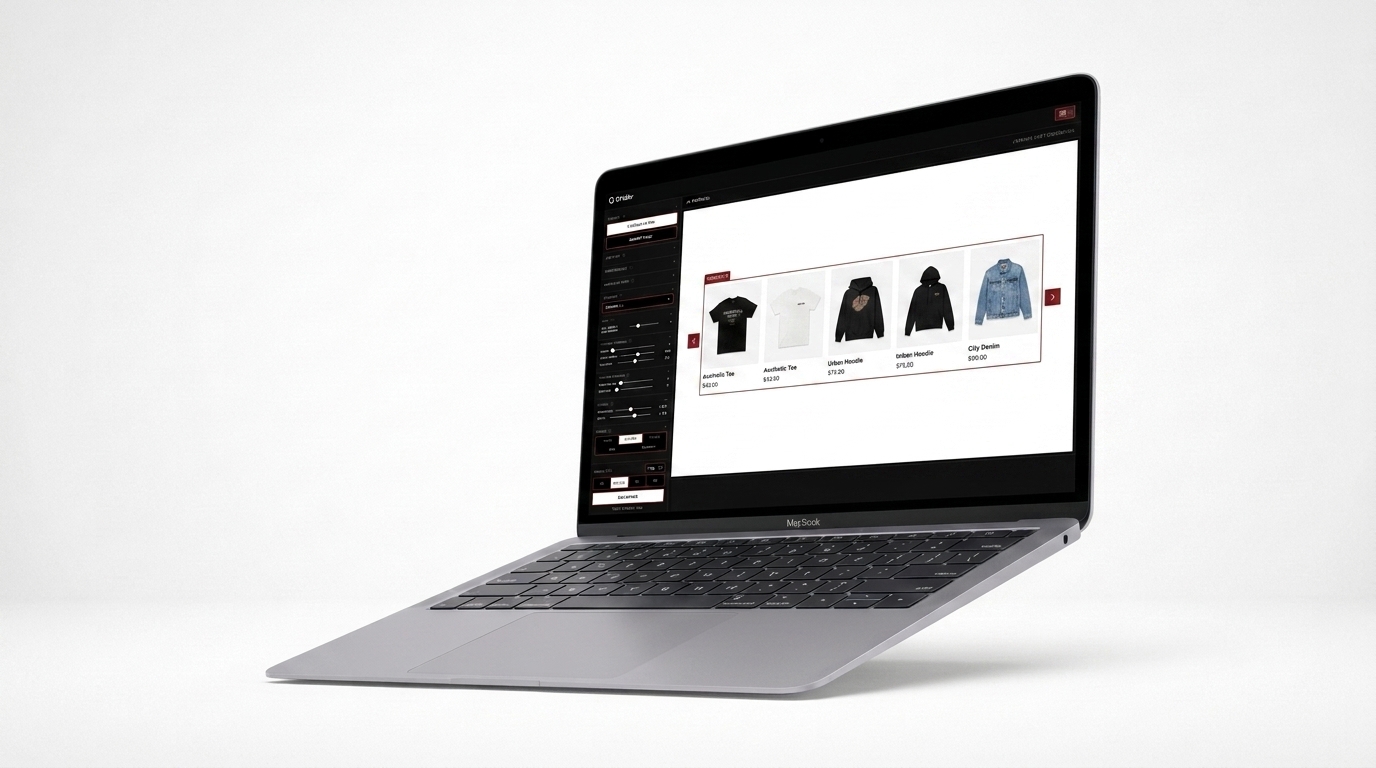
You open Instagram, a blank screen stares back at you, and today's post deadline has already passed. It happens to every clothing brand at some point — not from a lack of product, but from a lack of a system for ideas. The good news: when you have a repertoire of formats that already work for fashion, content creation stops being a roadblock and becomes a routine. Below, 15 content ideas for clothing brands you can start using right now — plus tips on how to present each one with a flawless visual style.
Why Visual Content Is the Heart of Online Fashion
Before the ideas, one important point: in fashion e-commerce, the image is the product. A well-built product grid or an organized lookbook sells more than any caption ever could. The problem is that putting these layouts together by hand — in Photoshop, Canva, or by pasting screenshots — eats up hours you simply don't have. That's exactly the pain Grider solves, and you'll see how throughout this article.
15 Content Ideas for Clothing Brands
1. Collection Launch Grid
Build a product grid featuring every piece from the new drop in a single image. It works like a catalog cover and builds anticipation. Post it to your feed before sales go live.
2. Seasonal Lookbook
Bring together 4 to 6 complete looks in a lookbook layout. Great for 9:16 Stories or your link-in-bio. Show how the pieces work together, not just how they look on their own.
3. "Build the Look" Carousel
Create a carousel where each slide features one hero piece alongside everything it pairs with. The side-by-side product layout makes purchase decisions easier and raises average order value.
4. "Just Arrived" — Weekly New Arrivals
A weekly grid showcasing new in-stock items. Simple, recurring, and expected by your audience. It becomes a ritual: every week they come back to see what's new.
5. Print or Color Comparison
Show the same piece in every available color or print side by side. It cuts down on questions, reduces DMs, and speeds up the purchase decision.
6. Category Catalog
Dedicate one post to a single category: just tops, just pants, just dresses. It works like a mini browsable catalog and is perfect for saving and sharing.
7. "Sold Out" — Gone Fast
A grid of pieces that flew off the shelves builds social proof and urgency. "These were this month's favorites" is content that drives restocking conversions.
8. Behind the Scenes of the Shoot
Photos from behind the scenes of your photo shoot humanize the brand. Mix process shots with the final looks in a carousel.
9. Style Inspiration by Occasion
"What to wear to work," "weekend look," "a night out." Group 3 or 4 looks from your own catalog into a themed grid. You educate and sell at the same time.
10. Customer Repost (UGC)
Ask for permission and build a grid with photos of customers wearing your pieces. Nothing sells better than seeing real people in your product. Organize the photos in a clean layout for your feed.
11. Hero Piece Spotlight
Pick ONE piece of the week, show it from multiple angles and in different contexts in a carousel. Go deep: fabric, fit, available sizes.
12. Gift Guide
Holidays and special occasions call for curation. Build a product layout grouped by profile: "for the minimalist," "for the bold one," "under $50." Works all year long.
13. Styling Before & After
Show a single piece on the left side and the complete look on the right. This split-grid format gets saved and shared constantly.
14. Restock Announcement
When a piece comes back in stock, create a card with the product photo and a bold "back in stock" callout. Anyone who missed it before will buy it now.
15. Outlet or Sale Catalog
A clean grid featuring all sale items with visible prices is one of the most saved and shared types of content in fashion. People love sending it to friends.
How Grider Solves This: Build Any Grid in Minutes
Most of these 15 ideas require an organized visual layout — a product grid, a carousel, a lookbook. The classic problem is time: open Photoshop, create the document, import the photos, align everything, export in two different formats... easily 1 to 2 hours per piece of content.
Grider was built specifically to eliminate that friction. Here's how it works in practice:
- Access the editor directly in your browser — no download, no sign-up. Open griderapp.com/editor.html and you're ready to go.
- Choose your format — square grid for the feed, 9:16 for Stories, lookbook or catalog format. The templates are already ready to use.
- Upload your PNGs or JPGs — drag your product photos directly into the editor. No quantity limits.
- Drag to reorder — rearrange pieces in the grid with drag and drop until the sequence tells the story you want.
- Export in high resolution — no watermark, ready to publish on Instagram, WhatsApp, your website, or send to wholesale buyers.
What would take hours in Photoshop takes minutes in Grider. And since it's all browser-based, anyone on your team can use it — no design experience required.
Turn Ideas into a Content Calendar
With 15 formats in hand, you can put together a full month of content without repeating anything. A simple suggestion:
- Monday: weekly new arrivals (idea #4)
- Wednesday: styling carousel or occasion-based inspiration (#3 or #9)
- Friday: hero piece spotlight (#11) or gift guide (#12)
- Sunday: customer UGC (#10) or lookbook (#2)
Each of these posts starts in the Grider editor: load your photos, build the grid, export, and schedule. Consistency without the stress.
The Real Pain Behind Running Out of Ideas
When a clothing brand says "I don't know what to post," the problem is rarely a lack of product. It's a lack of format. When you know you can turn any catalog photo into a clean, professional product grid in minutes, the paralysis disappears. Content becomes a natural extension of the curation work you're already doing every day.
Pick one of the 15 ideas above, open the editor right now, and build your next grid in under 5 minutes. Visit griderapp.com/editor.html — free, no sign-up, no watermark. Your next collection deserves a presentation that does it justice.