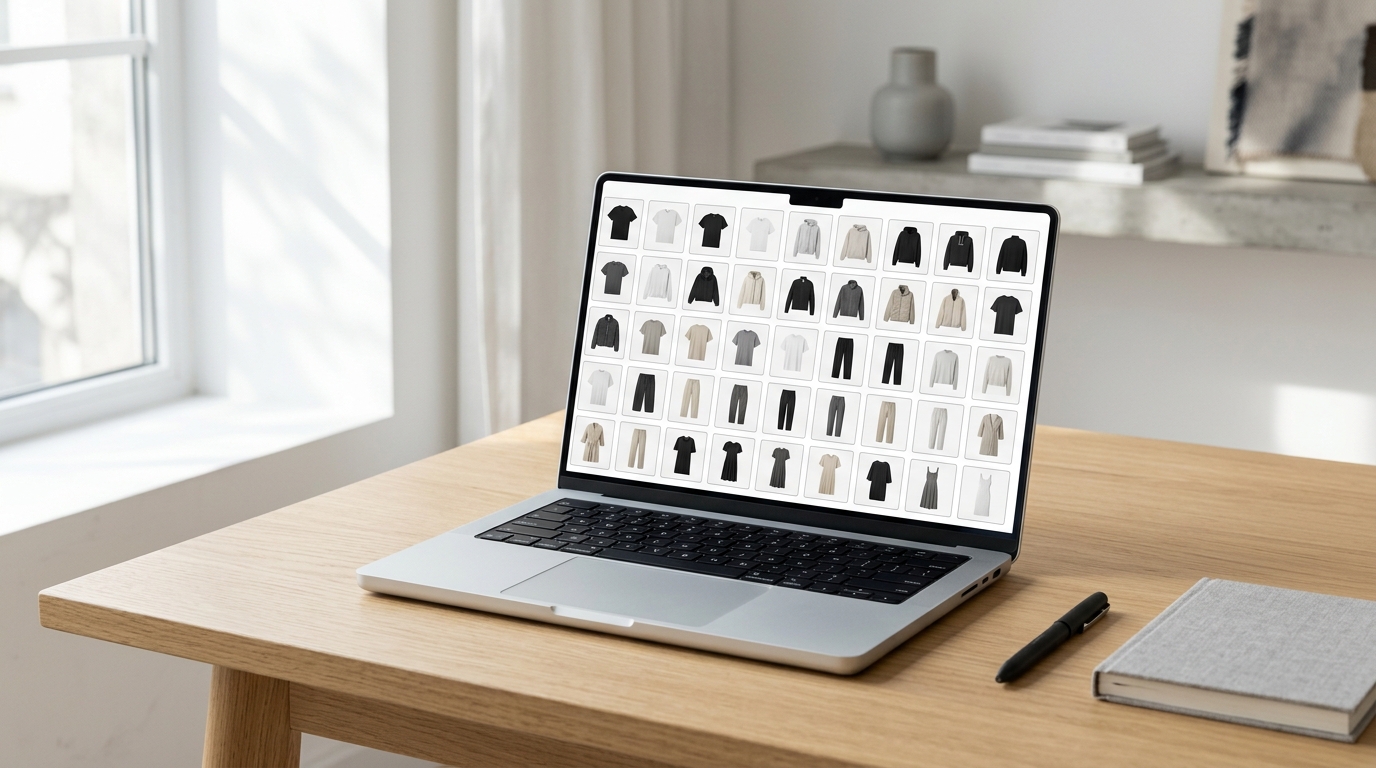
You have a new drop coming, beautiful product photos ready — and then the nightmare begins: open Photoshop, create a document, import each image, align everything by hand, export, realize the order was wrong and start over. For fashion brands and fashion e-commerce, assembling an organized product grid consumes hours that should go toward what really matters: selling. The good news is that you can create a professional online grid directly in your browser, without installing anything, without paying anything, and without needing a designer on your team.
Why the grid matters so much for fashion brands
The grid is the first impression your customer has of your collection — whether on Instagram feed, in an email lookbook or in a catalog shared with a reseller. A messy product layout sends the wrong message: that the brand is also messy. A cohesive grid, with aligned images and a planned visual sequence, conveys professionalism and increases perceived value before price is even seen.
Plus, the pace of launches in fashion e-commerce is brutal. New collection, collab, clearance, seasonal campaign — each one requires a different catalog or carousel. Tools that are too heavy slow down this process and create unnecessary bottlenecks.
The real problem: heavy software for a simple task
Most fashion teams still use one of these three solutions — and all have friction:
- Photoshop or Illustrator: too powerful for aligning product photos. They require installation, expensive licenses and a learning curve.
- Spreadsheet or PowerPoint: the classic workaround. The result comes out crooked, the file gets heavy and exporting in high resolution is painful.
- Hire a freelancer: it works, but adds time and cost for each update — even if it's just changing the order of two products.
None of these options were designed for someone who needs to create a beautiful product layout in minutes, iterate quickly and export ready to post.
How Grider solves this — step by step
Grider is a browser-based editor created specifically for fashion brands and fashion e-commerce to assemble grids, lookbooks and product catalogs without installing anything, without creating an account and without a watermark on the final result. See how it works in practice:
- Access the editor directly in your browser. Nothing to download. Opens in Chrome, Safari or any modern browser — on desktop or tablet.
- Upload your product photos. Drag PNG or JPG files directly into the editor. You can load several at once, which speeds things up when assembling an entire collection.
- Choose your grid template. Grider offers ready-made templates for the formats fashion brands use most: Instagram feed (1:1), Stories (9:16), horizontal lookbook, multiple products per row catalog. You don't start from zero — you start from a point that already works.
- Drag to reorder. Changed your mind about the sequence? Drag the image elsewhere. That simple. No layers, no keyboard shortcuts to memorize.
- Export in high resolution. When your grid is the way you want it, export. The file comes out ready to post, print or send to the buyer — no watermark, no surprises.
The entire process — from upload to export — takes minutes the first time and seconds on following occasions, once you know the flow.
What formats your brand can create
With Grider, a fashion brand can assemble practically any visual catalog material:
- Instagram feed grid — sequence of posts that form a larger image when viewed together on your profile.
- Product carousel — sequential slides showing each piece of a drop or capsule collection.
- Lookbook — editorial composition with multiple products per page, ideal for sending to buyers and partners.
- Reseller catalog — clean layout with product photo, space for name and reference, ready for PDF.
- Stories 9:16 — vertical format for launch campaigns or collection announcements.
Tips for an impactful product grid
Having the right tool is half the battle. The other half is how you organize your content. Some principles that work for fashion brands:
Keep background consistent
Photos with white background alongside on-location photos create visual noise. Before assembling the grid, separate products by photo type and create separate versions for each context.
Think of the sequence as a story
In a lookbook or carousel, order matters. Start with an impactful image, present details in the middle and close with an anchor product from the collection. The grid isn't a random list — it's a narrative.
Use the rule of odds for composition
Grids with 3, 5 or 9 products per row tend to be visually more balanced than even-numbered compositions. Try different configurations in the editor before finalizing the export.
Less text, more product
In the product grid, the image sells. Long text within the layout competes with the photo and reduces impact. Reserve text for captions or for the catalog PDF where it has its own space.
Grider vs. doing it by hand: an honest comparison
Assembling a grid in Photoshop for a 12-piece collection, with 2 photos per product, can easily take 2 to 3 hours for someone who isn't a designer — between importing images, aligning, adjusting margins and exporting at the correct sizes. With Grider, the same work is done in less than 20 minutes, without installing anything and without any prior design experience. For teams launching collections every week or working with frequent drops, that difference multiplies.
Start now: your grid in minutes
If your brand is still losing hours assembling catalogs and product layouts in tools that weren't made for this, it's time to change. Open Grider's editor now, upload photos from your next collection and see your grid ready before you finish your coffee. It's free, asks no signup and the result comes out without a watermark — ready to post, print or send to your buyer.