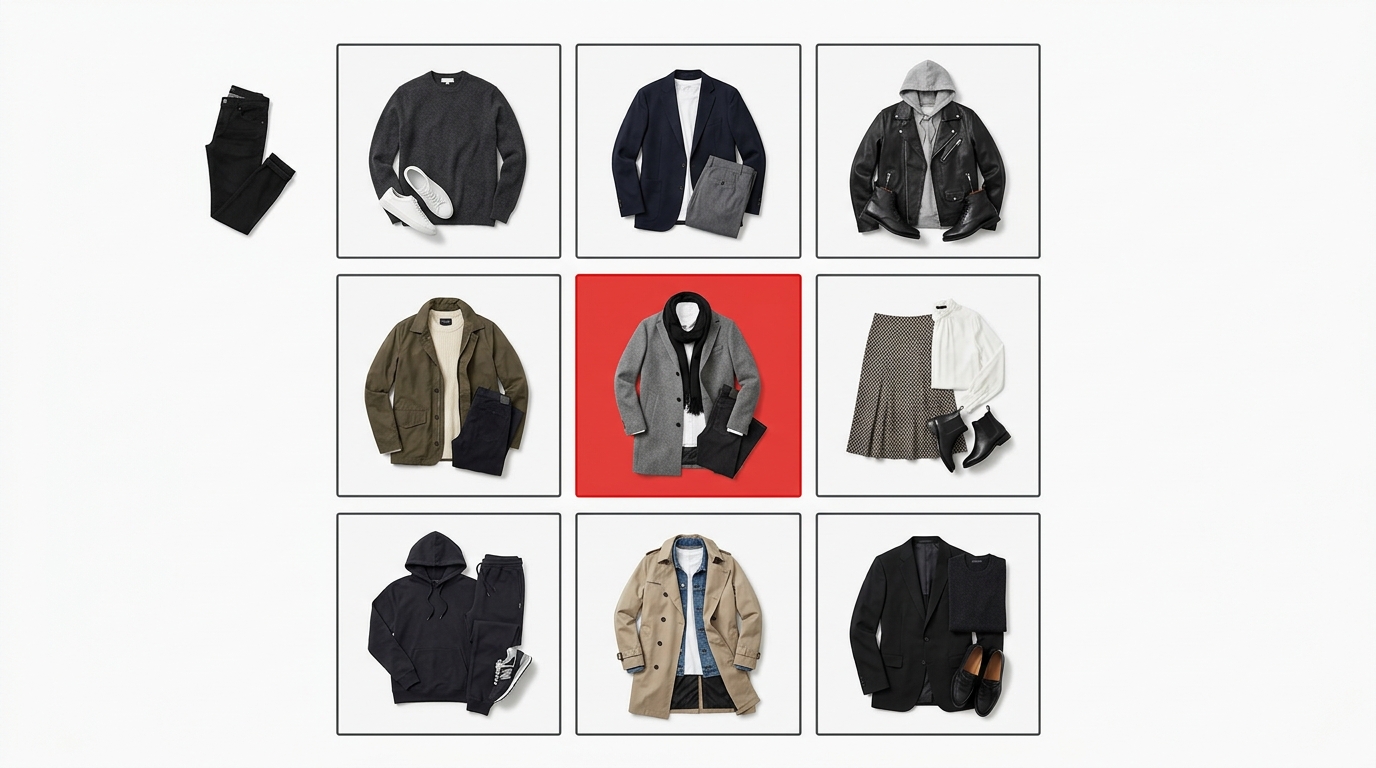
Your collection deserves a lookbook that matches it — and your budget matters too
You spent weeks developing the collection, choosing pieces, taking photos. Now it's time to show it to the world — and then reality hits: big brands have agencies, designers, and expensive tools to build a flawless lookbook. You have a phone, a folder full of JPGs, and a tight deadline. How do you turn that material into something that truly conveys your brand's identity, without spending a fortune and without pulling an all-nighter in Photoshop?
The good news is that a professional-looking lookbook for small brands doesn't depend on budget — it depends on organization, visual consistency, and the right layout. And that's exactly what we're solving here.
Why do most small brand lookbooks look amateur?
It's not lack of talent or beautiful photos. The problem is almost always the same: lack of visual structure. When products are presented randomly — different sizes, inconsistent framing, no hierarchy — the result looks like an improvised catalog, not a thoughtful collection.
Big brands invest heavily precisely to ensure every image follows a standard: uniform proportion, consistent spacing, narrative order. A product grid isn't just an aesthetic detail — it's what makes the customer's eye travel through the collection without getting lost.
You don't need an agency for that. You need a process.
What a good lookbook needs
Before opening any tool, think of your lookbook structure as a visual story:
- Strong opening: a campaign image or editorial that sets the mood for the collection.
- Organized product grid: pieces presented in a consistent layout, with uniform proportion and spacing.
- Grouped by category or look: sets, individual pieces, details — each block with its own logic.
- Visual identity throughout: background colors, typography, and photo style aligned with the brand.
- Correct formats for each channel: Instagram feed, 9:16 Stories, PDF for wholesale — the same lookbook, adapted.
With these elements in place, any brand — regardless of size — can present a collection professionally.
How Grider solves this: from chaos to lookbook in minutes
Grider was created for exactly this moment: when you have the photos, know what you want to communicate, but don't have time or budget for complex tools. It's a browser-based editor, free, no signup, no watermark, made for clothing brands and fashion e-commerce.
See how to build your lookbook step by step:
- Upload your images: drag your PNG or JPG files directly into the editor. No need to resize first — Grider automatically adjusts to the chosen template.
- Choose your grid template: select the layout that best tells your collection's story. Symmetric grid for clean catalog, mosaic for editorials with more movement, 9:16 format for Stories.
- Drag to reorder: reposition pieces until you find the visual sequence that makes sense — from opening look to product details. Order matters as much as the photos.
- Adjust background and spacing: white background for wholesale catalog, dark background for a winter campaign — small tweaks that make all the difference in how your brand is perceived.
- Export in high resolution: download the grid ready to post on Instagram, send to a buyer, or include in a lookbook PDF. No watermark, no compression.
The entire process — from upload to export — takes minutes. Not hours, not days.
Practical tips for a lookbook that looks big brand
1. Standardize before building the grid
If your photos have very different framings, try to keep the proportion at least consistent (square or 4:5). That alone will greatly improve the visual result in your product layout.
2. Create thematic blocks
Group pieces by look, by color, or by occasion. A lookbook that goes from casual to more elaborate has a narrative — and narrative sells.
3. Less is more in a carousel
On Instagram, a carousel of 6 to 8 well-built images performs better than 15 random photos. Use the grid to choose the best and discard the rest.
4. Adapt the format to each channel
Same content, different formats: square for the feed, 9:16 for Stories, rectangle for PDF catalog. Grider lets you export in the ideal format for each use without rework.
5. Maintain visual identity
Always use the same background color, consistent spacing between photos, order that follows brand logic. These details are what separate a professional lookbook from an organized photo folder.
Result: a collection that sells itself
A well-built professional-looking lookbook for small brands does much more than organize photos — it positions your brand, facilitates customer buying decisions, and conveys credibility to wholesale buyers. It's the material you send via DM, put in your bio link, present at trade shows, and use to close resellers.
You don't need a big brand budget to get big brand results. You need organization, visual consistency, and the right tool.
Open Grider's editor now, upload your collection photos, and build your lookbook in minutes — free, no signup, no watermark. Get started now at griderapp.com and watch your brand get the look it always deserved.